Clear priorities
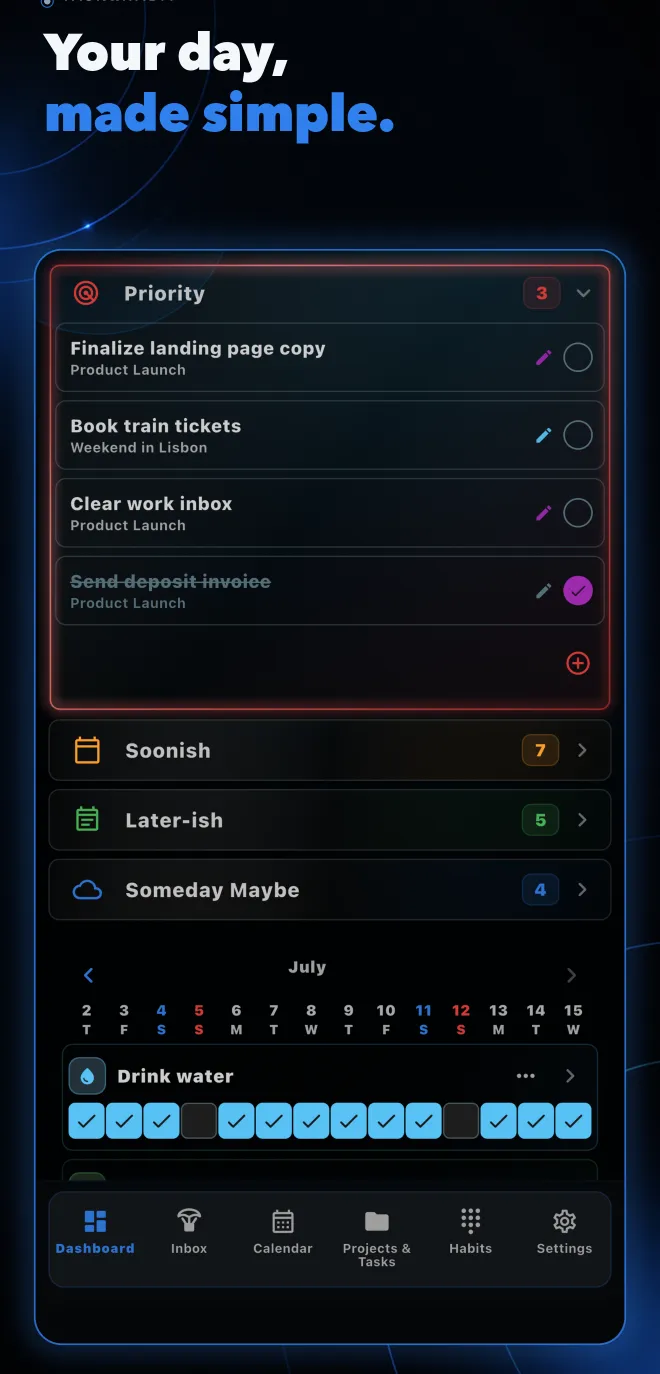
Four horizons. That’s it.
Move work into Priority, Soonish, Later-ish or Someday Maybe. Your Dashboard stays focused without pretending every task is urgent.
Task & habit planner · iOS + Android
Tasks&Habits Radar turns a noisy day into one clear view for tasks, projects, schedules and habits — without forcing you into a complicated system.
One calm system
Capture the thought, decide what matters, plan the right day and keep the habits that move life forward.
Clear priorities
Move work into Priority, Soonish, Later-ish or Someday Maybe. Your Dashboard stays focused without pretending every task is urgent.
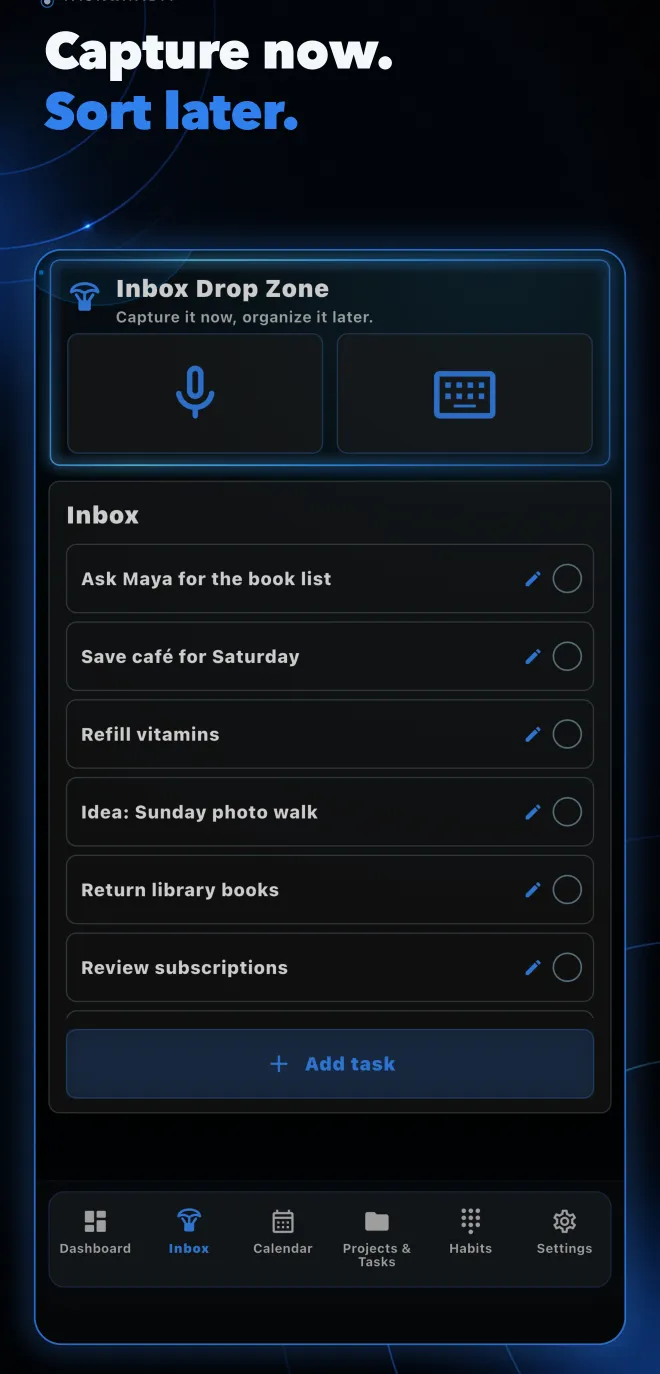
Inbox Drop Zone
Type it or dictate it. Review the editable preview, save once, and organize it when your attention is free.
Calendar & repeats
See every scheduled task and repeat it daily, weekly, on selected days, monthly or yearly — with an optional end date.
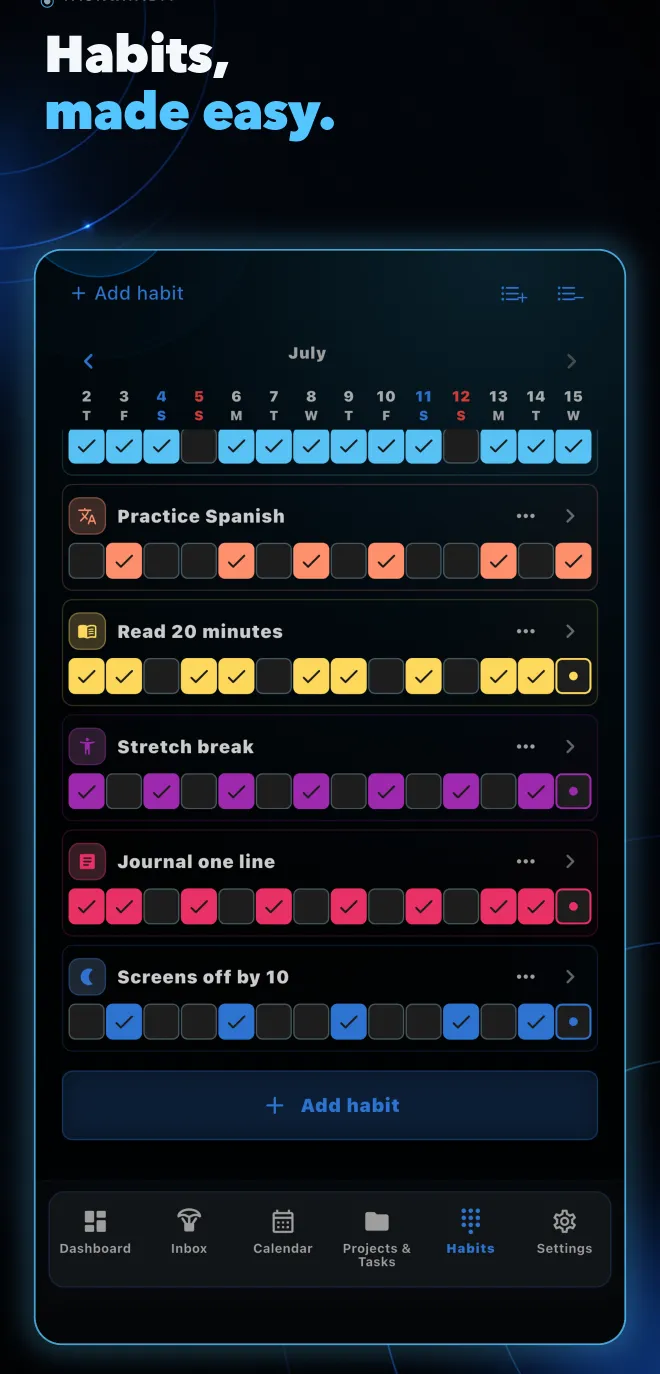
Flexible habits
Choose active weekdays and set more than one check-in per day. Partial progress stays visible until the goal is complete.
Projects
Keep tasks inside real projects while preserving their priority and schedule. Reorder every view around its own context.
Rich task details
Add notes, natural bullet lists, checklists and image attachments inside one focused task editor.
A lighter workflow
Productivity tools become heavy when they demand a decision before you can save an idea. Tasks&Habits Radar separates fast capture from thoughtful organization.
Open the Inbox Drop Zone, speak or type, edit the preview, then save.
Choose a project, one of four priority buckets, a schedule — or any combination.
Dashboard, Inbox, Projects and Calendar each keep the order that makes sense there.
Your data, your pace
Keep working locally, export or import a manual JSON backup, and connect email or Google in Settings only when you want account-based cloud backup.
Inside the app
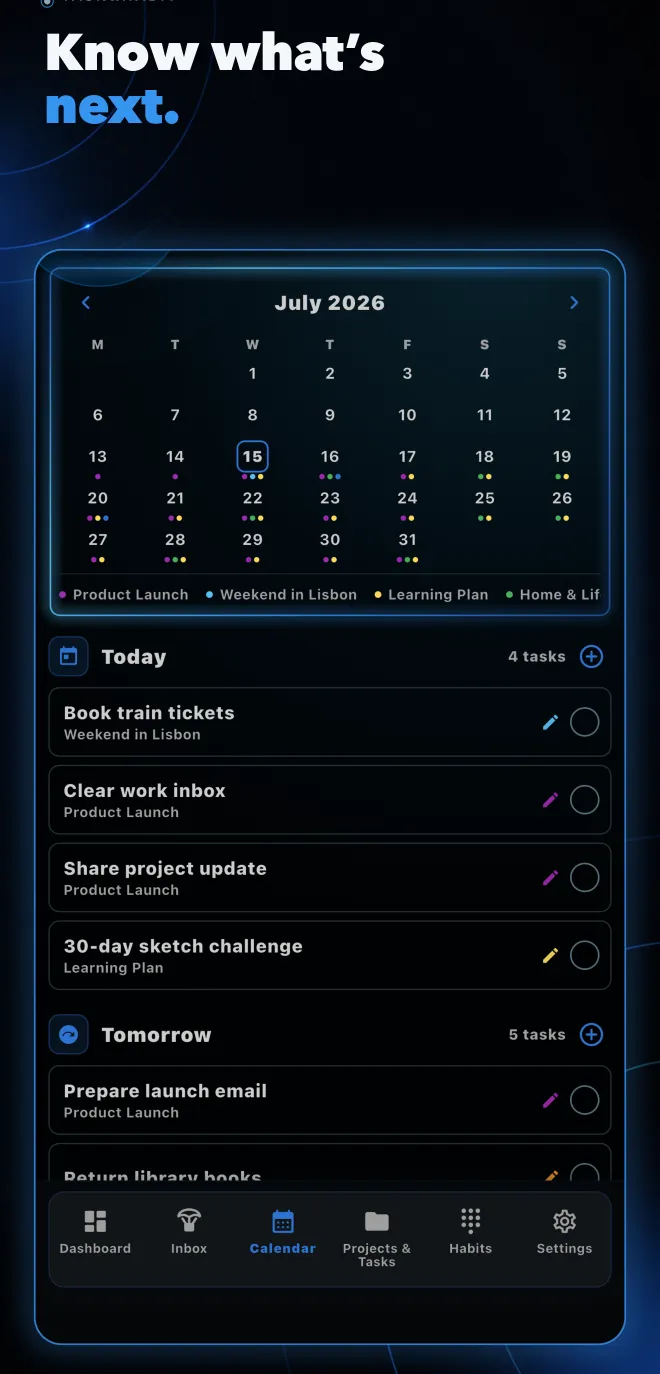
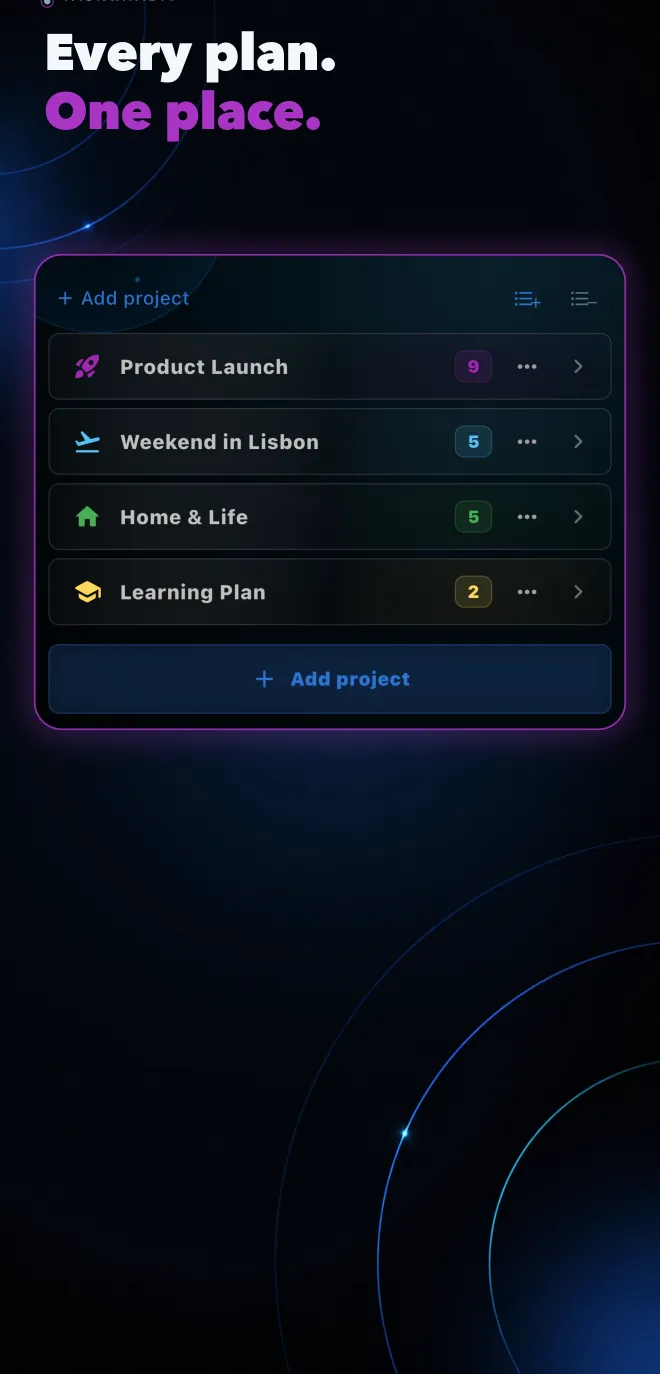
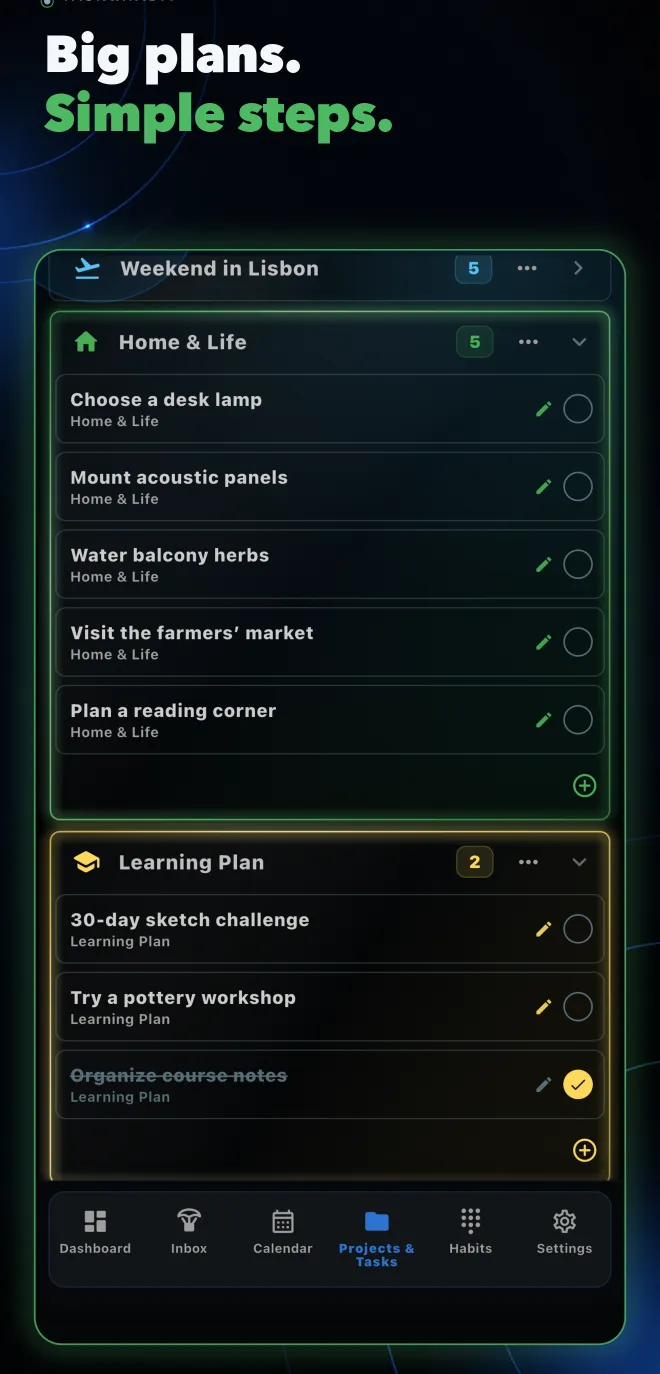
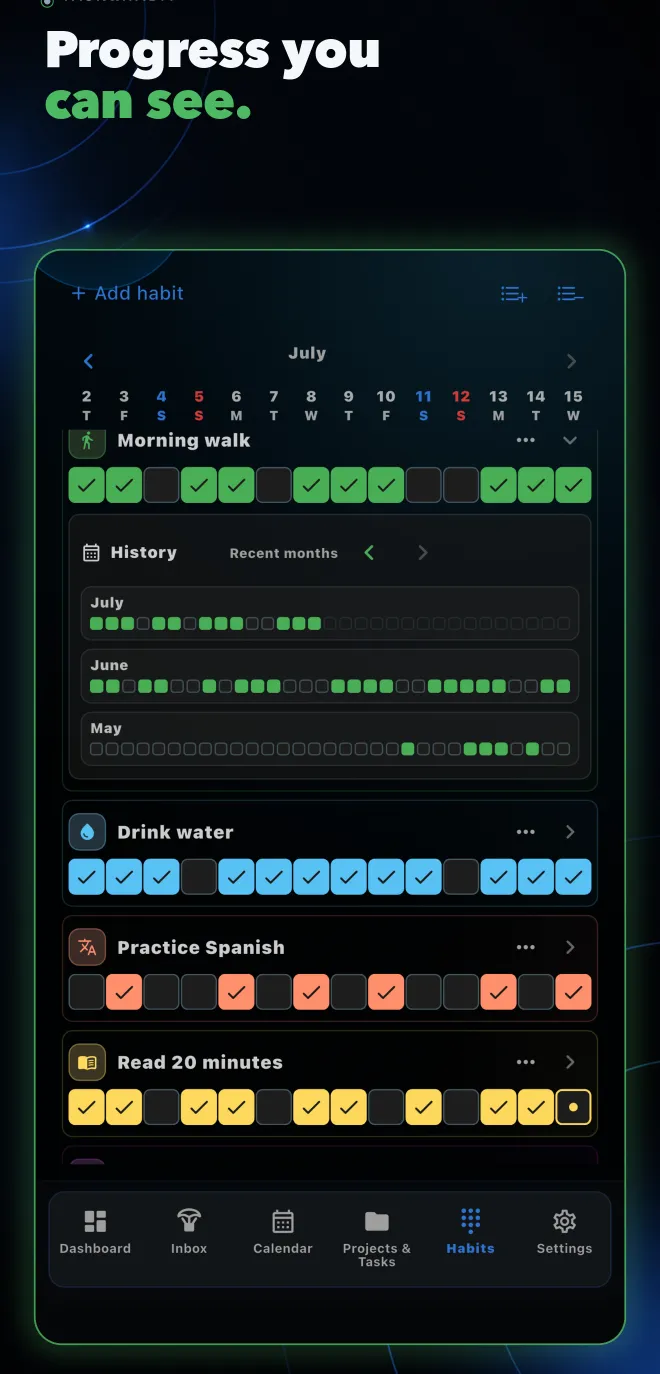
Swipe or use arrow keys to explore
Quick answers
Still curious? Send a note and we’ll point you in the right direction.
contact@projectnull0.com ↗Tasks&Habits Radar is a productivity app that brings tasks, projects, schedules and habit tracking into one focused workspace for iPhone and Android.
It combines a fast Inbox, four clear priority horizons, independent project and calendar views, flexible recurring tasks and goal-based habits. Each view can keep its own useful order while the underlying task stays shared.
Yes. The app does not introduce an interactive login gate. You can use manual JSON export and import, then connect an account in Settings if you want account-based cloud backup.
Yes. Tasks can use one-time dates or repeat daily, weekly, on selected weekdays, on weekends, monthly or yearly, with optional end dates.
Yes. A habit can require multiple check-ins per active day and can be limited to a custom Monday-first weekday schedule.
Tasks&Habits Radar is a premium subscription app. Current plans, localized prices and any eligible introductory offer are shown by the active storefront inside the app.
Your day is on the radar
Tasks&Habits Radar is being prepared for its public App Store and Google Play release.